PodStudio LogoPodStudio
Version v1.0.0 is officially released

Create Video & Audio Podcasts From Text in Seconds

PodStudio is a lightweight desktop app that lets you convert script dialogue to realistic speech (TTS) via secure APIs, style visual video overlays, customize layers, backgrounds, fonts, and render high-quality MP4 and MP3 files locally. Pure local privacy. No account required.
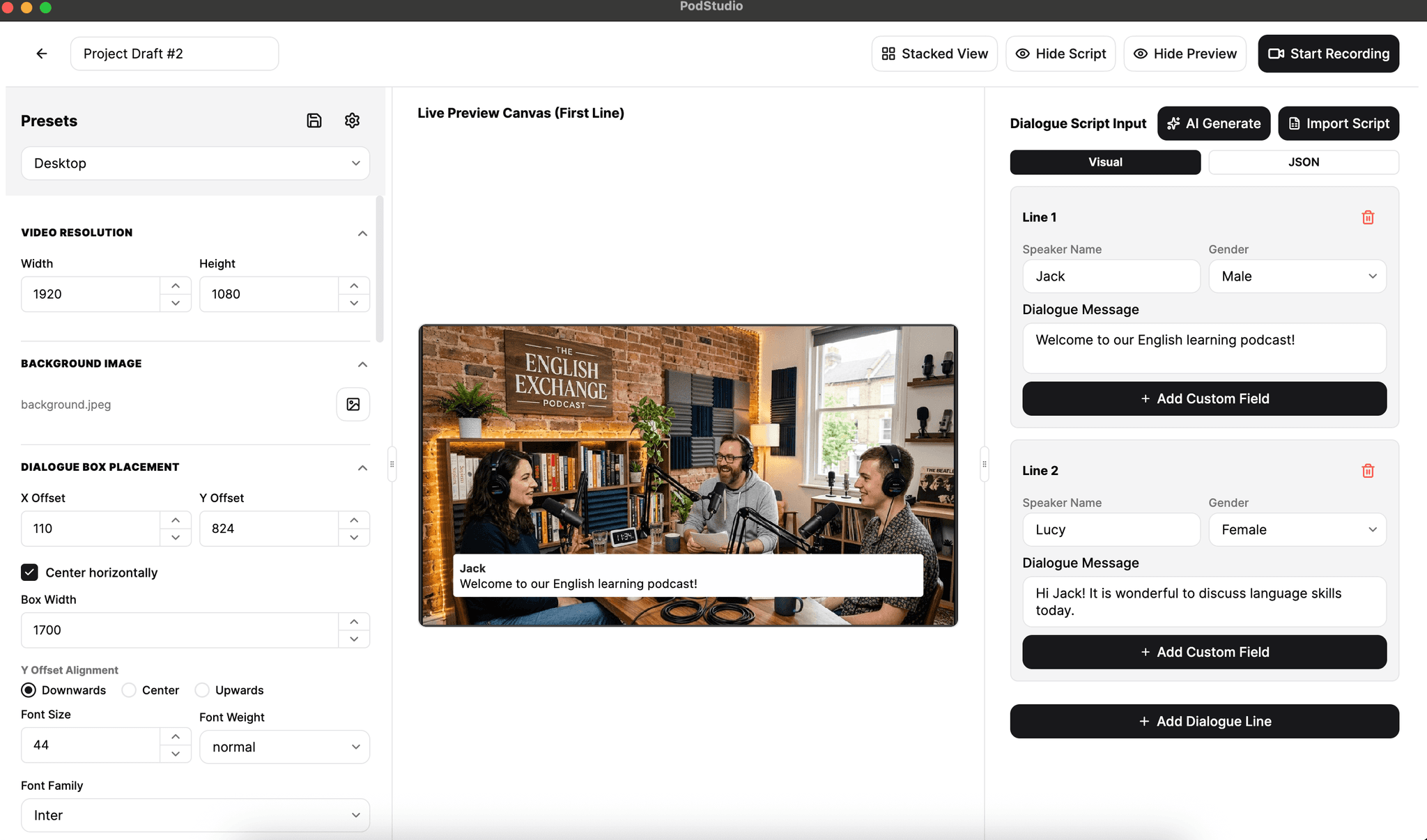
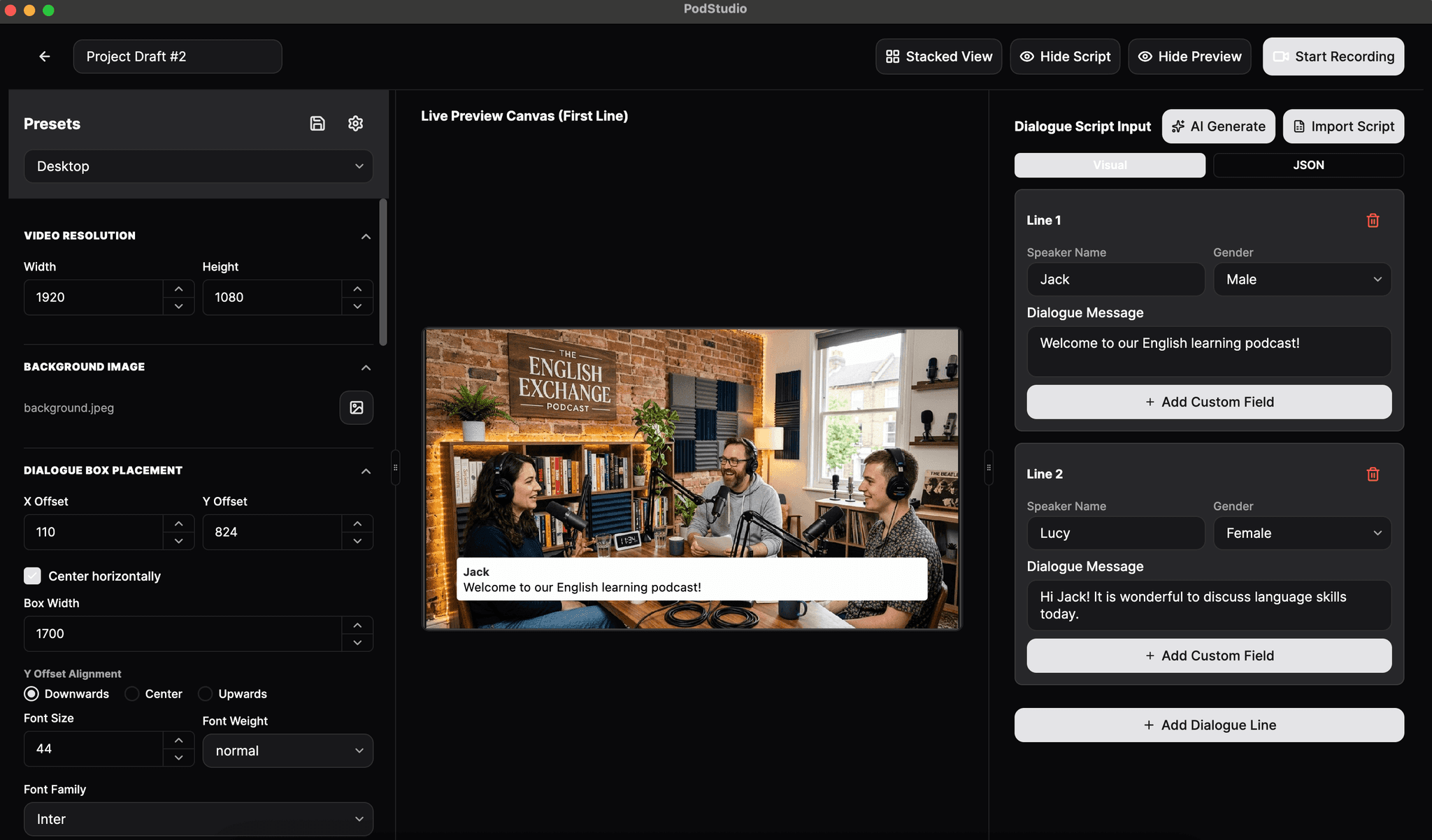
PodStudio App Interface

Equipped with Powerful Podcast Generation Tools

No mic or recording studio needed. PodStudio provides everything required to render high-quality audio and video podcasts.

Text-to-Speech Generation
Convert written dialogue scripts into realistic speech in multiple languages using Edge voices or premium third-party TTS engines.
Custom Visual Overlays
Style your video output with customizable backgrounds (images, colors, overlay gradients), safe margins, alignment, and layers.
Visual Voice Waveforms
Automatically calculate and render beautiful animated vocal waveforms synced perfectly with your speech tracks.
Render MP4 & MP3
Export your project as a styled MP4 video podcast with subtitle captions, or an optimized MP3 audio podcast.
Extensible Plugin Support
Unlock new workflows by importing custom TTS voice models, custom voice API endpoints, or outline script generator plugins.
Zero Tracking & No Login
No accounts required. The software runs on macOS & Windows, processing all rendering, fonts, and backgrounds locally with absolute privacy.

Download PodStudio Today

Choose the installer for your operating system. The Free edition supports standard TTS voices, full styling options, and up to 30 dialogue lines per script.


Popular
macOS Edition
Free version supports core TTS voices and up to 30 script lines.
Filename:PodStudio-macOS.dmg
File size:74 MB
System requirements:macOS 11.0 or higher (Intel/Apple Silicon)
Official Store
Windows Edition
Free version supports core TTS voices and up to 30 script lines.
Source:Microsoft Store
File size:Varies
System requirements:Windows 10/11 (64-bit)
Get it from Microsoft Store

Quick Install Guide: On **macOS**, mount the DMG and drag PodStudio to your Applications folder. On **Windows**, install directly from the Microsoft Store. To upgrade from an older version, simply update through the Store or run the new macOS DMG installer; your configuration will be preserved.

Frequently Asked Questions

Got questions? We've got answers. Explore details about PodStudio's features, offline privacy, and integration plugins.

No Adware

Pure focus for your creativity

100% Private

No account or login required

Clean Uninstall

Completely remove with a simple drag-and-drop or uninstall wizard